
Auto Typer Softwares are used to automatic typing of data entry tasks like Medical form filling , Health insurance form filling, Kyc form filling.. etc.
How to download auto typer softwares?
Its very simple just click on links below, you can eaily download Auto typer software.
Medical form filling Auto Typer (Agent)
Medical Insurance Demographic Form Filling Auto typer Softwares
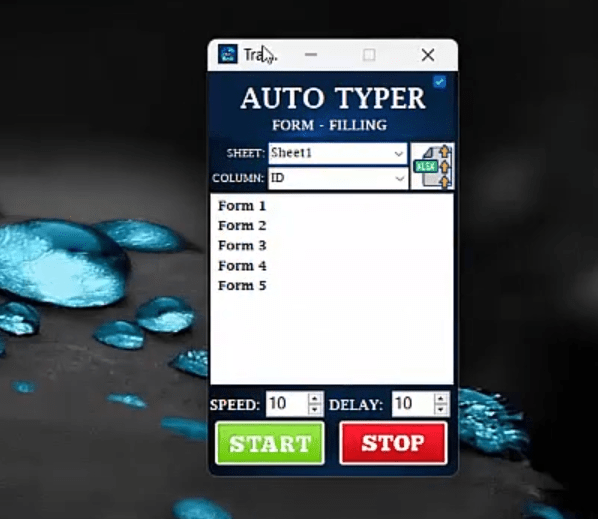
Auto Typer Software: Simplifying Data Entry with Automation
Auto Typer software is an effective automation tool that simulates keyboard input to type predefined text. It’s particularly helpful in repetitive data entry tasks where the same information must be entered multiple times. As a result, it has become popular in industries where large volumes of form-filling work are common.
For instance, in the healthcare sector, this software is used extensively for medical form filling. Clinics and hospitals often need to input patient details, diagnoses, and treatment information into digital forms. Instead of typing each entry manually, staff can use Auto Typer to automate the process. This not only saves time but also reduces the chances of human error.
Likewise, the health insurance industry benefits significantly from this tool. Insurance agents frequently process countless application forms with similar fields such as names, policy numbers, and contact details. By automating these inputs, Auto Typer improves speed and ensures consistency in data entry.
KYC (Know Your Customer) form filling
KYC Auto Typer Softwares are another key area where this software proves valuable. Banks, telecom companies, and financial institutions often require updated customer data for compliance purposes. Auto Typer simplifies this by quickly populating forms with standard information like identification numbers, addresses, and account details.
In addition to these examples, the software is flexible enough to handle a wide range of applications. It can be programmed to input custom text, apply time intervals between keystrokes, and simulate keyboard shortcuts. Therefore, whether you’re handling survey responses, bulk registrations, or routine office tasks, Auto Typer can streamline the workflow.
Moreover, using Auto Typer reduces manual workload and boosts overall efficiency. Teams can focus on more strategic work instead of spending hours typing repetitive data. It’s a smart investment for businesses looking to optimize productivity.
To conclude, Auto Typer software offers a reliable solution for anyone facing time-consuming typing tasks. With its ability to improve accuracy, save time, and adapt to various data entry needs, it stands out as an essential tool in modern digital environments.